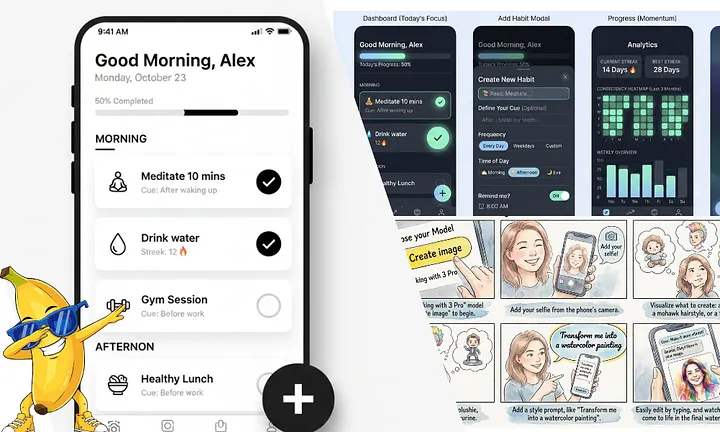
1. Google AI Studio App Builder
The only vibecoding platform that gives you beautiful, usable apps (FOR FREE) in minutes.
Yes, you read that right. You can create your own app (internal tool, or public-facing) in minutes. It actually works, and the results are excellent.
Go to https://aistudio.google.com/ and sign up for a free account, then click “Build” in the sidebar to get started.

Let’s get right into an example.
Recently, for my clothing brand, I wanted to add some embroidered items. However, the website that I use to embroider clothing only has a few thread colors. I wanted to create a tool to convert images into pixel art using only those 15 colors.
I started with a brief description, and it started building immediately.
A few prompts later, a couple of feature additions, and I had something that worked excellently:

You can even deploy the app so other people can use it:

This has got to be the most addictive, most fun AI tool I’ve ever tried.
For fun, I was able to build a complete clone of Wordle (except with 10-letter words) in just two small prompts:


Yes, it created this game in a couple of minutes, and it actually works. Pretty mindblowing!
2. Replicate
Run state-of-the-art AI models to create ANYTHING.
Replicate is essentially a library of all the best generative AI tools out there. There are thousands of AI models on Replicate, and they are all super simple to run.

Visit https://replicate.com/explore, and you can get started right away.
I’ll show you some of its capabilities with an example:
First, let’s say I want to use a language model to generate a prompt for an AI image generator. After looking at all the top models, I chose Deepseek:

Then, I can take that image prompt and take it to one of the newest, best creative AI image models out there, Seedream 4.5:

Now, let’s say I like one aspect of it. But if I zoom in, it’s blurry:

What to do? Well, I can go to one of the image upscalers and increase the resolution and detail by an incredible amount:

And finally, let’s say I want to make a video out of it. I can do that too:

Yeah, so Replicate is pretty cool. In addition to this stuff, you can:
- Transcribe audio
- Detect shapes in images
- Real-world visual perception
- Generate sound effects
- OCR images
- and much more!
Crazy to think that all of these tools exist in one simple platform. I use it all the time for my more creative work.
3. Rhyme.ink
The verbal writing canvas. Write for hours without touching your keyboard.
Saving my favorite for last…
As an avid writer, I’m always looking for easier, faster, and just better ways to write. rhyme.ink is the answer.
You can write, format, and edit entire articles, papers, or anything else using just your voice.
Writing becomes as easy as sitting back in your chair and talking. You can even use AI voice commands to fix grammar errors, get rid of filler words, and anything else you can imagine.

Here is an example of writing with Rhyme, and why it’s so much easier that typing, or god forbid, handwriting.
Let’s say that I want to write a small blog posts about one of my favorite new movements in music as of late.
I can talk, and Rhyme inserts my sentences as I say them. I can add spaces, bullets, and all sorts of other formatting as well all by just saying voice commands:

I wrote and formatted this thing with my voice in about a minute. It takes a bit to get into the flow of things, but once you let your thoughts flow and stop worrying about grammer, correctness, or making mistakes, things get REAL.
You can also have AI do commands for you using your voice, just by saying “Rhyme”. Don’t want to learn the voice formatting commands? You can just have Rhyme do it for you after you speak.
Let’s say I wanted to convert the canvas to prose and fix some grammar For this example, I just said: “Hey Rhyme, please convert this canvas to prose and fix all grammar mistakes”

Some of the best parts of Rhyme include:
- Custom word recognition — insert custom word insertions for anything. You can even add a single word command to insert an entire paragraph!
- Full markdown editing (just like Medium). You can add headings, bold text, lists, and more.
- Fully navigable with voice. You can quickly move the cursor around using voice commands. You literally don’t have to touch your mouse or keyboard at all!
- Everything is undoable. Did it mishear you? Did the AI not do what you wanted? Just say “undo” and try again.
- Customizeable color styles.
- Focus mode for distraction free writing canvas with 0 UI.
- Full keyboard editing capability while transcribing.
- Oh, and it’s free!
I’ve been using it every single day, and I hope you find it as useful as I do! I’m so excited to share this one with you guys.
Those are my favorite AI tools right now. Got any you like? Drop ’em in the comments!