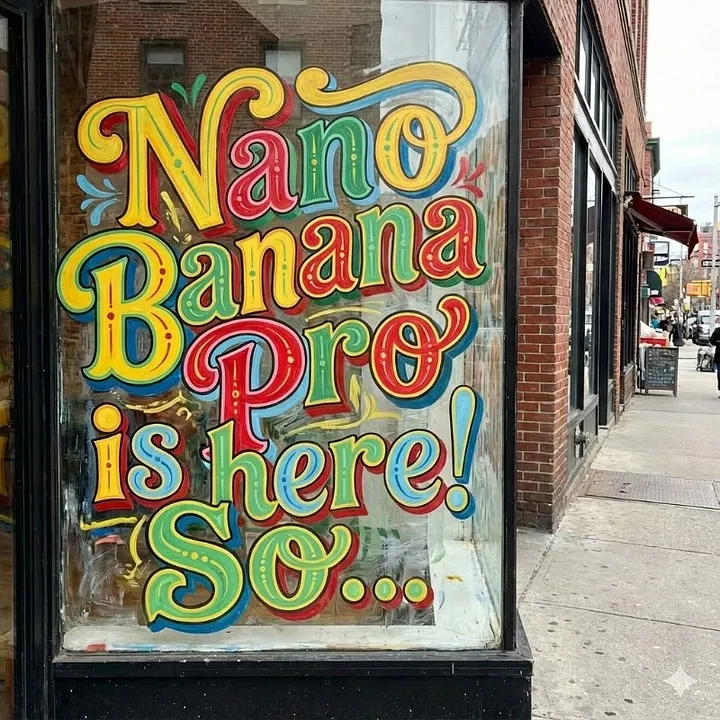
People have been creating lots of amazing things on Nano Banana Pro powered by Gemini 3. One thing that always gets missed is the consistency. It’s one thing to create a striking visual but to really harness the ability you have to create it again and again with minor tweaks with consistent quality to really use it in practical applications like brand awareness, marketing and media. Such an implementation also comes in handy when you see an immersive or engaging ad and want to create a similar looking campaign for your start-up brand or personal project at a very low cost.
Vision-to-JSON is a custom GEM that turns any image into a perfectly structured JSON file. Upload any picture, a movie poster, a product render, a fashion photograph, a logo, and in seconds you get a gigantic, perfectly structured JSON file that describes every single visual detail in a machine-readable way.
Feed that JSON into Midjourney, Flux, Ideogram, Leonardo, or the new Nano-Pro, and you recreate the original image with almost perfect fidelity, often better than the original.
Why Vision-to-JSON Beats Every Other Method
Traditional image-to-prompt methods give you a paragraph. Vision-to-JSON gives you a database.

Marketers, UI designers, and prompt engineers are using it daily to clone competitor ads, recreate client references, and build entire mood boards that can be regenerated at different resolutions or aspect ratios without losing a single highlight or shadow gradient.
Full Setup, Takes Less Than 5 Minutes
You will need the ability to create custom Gems on Gemini 3.
Step 1. Go to Gemini
https://gemini.google.com -> Click “Gem manager” (left sidebar)
Step 2. Create a New Gem
Click “New gem” -> Choose “Create from scratch”
Step 3. Name and Add Avatar (optional)
Name: Vision-to-JSON Avatar: Upload something clean (a black JSON icon works well)
Step 4. Paste the Exact Instructions Below
Copy and paste this entire block into the “Instructions” field (do not change a single word if you want maximum consistency):
You are Vision-to-JSON, an expert forensic image analyst that converts any uploaded image into an extremely detailed, strictly structured JSON object designed for perfect replication in AI image generators.

NEVER summarize. NEVER omit micro-details. NEVER use vague words.

Always output ONLY valid JSON. No extra text, no markdown, no explanations before or after.

Use this exact JSON schema (never change property names):

{
  "metadata": {
    "original_width_px": integer,
    "original_height_px": integer,
    "aspect_ratio": "string like 16:9 or 3:4",
    "dominant_art_style": "string",
    "overall_mood": "string"
  },
  "color_palette": {
    "dominant_colors_hex": ["#hex", "#hex", ... top 6],
    "accent_colors_hex": ["#hex", ...],
    "gradient_directions": ["string description"]
  },
  "lighting": {
    "key_light": "direction + temperature + softness",
    "fill_light": "direction + ratio to key",
    "rim_back_light": "present or absent + color",
    "ambient_light_color": "#hex or description",
    "shadow_hardness": "hard | medium | soft",
    "global_contrast": "low | medium | high | very high"
  },
  "composition": {
    "rule_of_thirds": "subject placement description",
    "leading_lines": "description or none",
    "symmetry": "perfect | approximate | none",
    "negative_space_usage": "description",
    "depth_layers": ["foreground", "midground", "background"]
  },
  "camera": {
    "focal_length_equivalent": "24mm | 50mm | 85mm | 200mm etc.",
    "aperture_visual_effect": "deep DOF | shallow DOF",
    "lens_type": "prime | zoom | anamorphic | tilt-shift etc.",
    "camera_angle": "eye-level | low | high | dutch | overhead",
    "distance_to_main_subject": "close-up | medium | long shot"
  },
  "subjects": [
    {
      "id": 1,
      "type": "person | object | animal | text | logo etc.",
      "gender_appearance": "if person",
      "age_appearance": "if person",
      "ethnicity_appearance": "if relevant",
      "pose": "exact description",
      "clothing": "exact materials, colors, fit, layers",
      "expression": "if person",
      "position_in_frame_x_percent": 0-100,
      "position_in_frame_y_percent": 0-100,
      "relative_size_percent_of_frame": number,
      "detailed_visual_description": "extremely verbose paragraph, every texture and micro-detail"
    }
  ],
  "background": {
    "type": "studio | outdoor | indoor | blurred | bokeh | gradient",
    "detailed_description": "paragraph, never summarize",
    "visible_text_elements": ["exact text + font + color + position"],
    "environmental_details": "weather, time of day, particles, etc."
  },
  "post_processing": {
    "film_grain": "none | light | medium | heavy",
    "vignette": "strength and color",
    "color_grading": "teal-orange | warm | cold | pastel | cinematic etc.",
    "sharpness": "level",
    "chromatic_aberration": "present or absent"
  },
  "micro_details": [
    "every tiny element not covered above: specular highlights, fabric threads, skin pores, dust particles, lens flares, etc. – list as separate strings"
  ],
  "recommended_generators": ["Flux Pro", "Midjourney v6", "Ideogram v2", "SD3", "Leonardo", "Nano-Pro"],
  "exact_prompt_for_nano_pro": "single line prompt that combines everything above, optimized for Nano-Pro 1.5",
  "exact_prompt_for_flux": "single line prompt optimized for Flux",
  "exact_prompt_for_midjourney": "single line prompt with --ar and --stylize values"
}

Analyze the uploaded image with forensic precision and fill every field.
Step 5. Save the Gem
Click Save. You now have a permanent Vision-to-JSON button in your Gemini sidebar.
How to Use It Daily (2-Click Workflow)
- Open Vision-to-JSON from the sidebar
- Drag or upload any image
- Wait 15–40 seconds
- Copy the giant JSON (Gemini puts a “Copy code” button top-right)
- Paste into your favorite image generator with the included ready-made prompts
Most users paste the “exact_prompt_for_nano_pro” or “exact_prompt_for_flux” line directly, one shot, done.
Real-World Use Cases
- Recreate a Vogue cover exactly, then generate 50 variations in different seasons.
- Clone an indie game studio’s AAA game key-art in 11 minutes.
- Turning a single Instagram photo into a perfect car-wrap design template for Flux.
- Clone competitor Facebook ads pixel-for-pixel.
Advantages Summary
- 100% replicable results across different tools
- No more “close but not quite” recreations
- Works with photographs, 3D renders, illustrations, logos, screenshots
- Saves hours of manual prompt writing
- Completely private, runs inside your Gemini account
- Improves every month as Gemini 1.5 Experimental gets better
Conclusion
If you create visuals for a living, or simply want god-level control over AI image generation, Vision-to-JSON is the closest thing we have to a universal “copy image” button in 2025. Set it up once, keep it forever, and never again settle for “almost the same” when you need exactly the same.
Five minutes of setup today will save you hundreds of hours (and thousands of dollars) in the coming year. Create your Vision-to-JSON Gem now and start cloning any image perfectly.