
Introduction
In a time when control over your data, flexibility of AI model use, and self-sovereignty are increasingly valued, Open Notebook offers a compelling open-source platform for AI-assisted research, note-taking, and knowledge management. The project is hosted at lfnovo/open-notebook on GitHub.
It presents itself as “a private, multi-model, 100% local, full-featured alternative to Notebook LM.”
In this article I’ll walk through what Open Notebook is, why it matters, how it works, its strengths & caveats, and then provide a comparison with Notebook LM so you can judge which tool fits your requirements.
Why Open Notebook?
Key motivations behind the platform:
- Data control & privacy: Open Notebook emphasises that “your data stays under your control — no cloud dependencies” (when self-hosted).
- Model flexibility & avoid vendor lock-in: It supports multiple AI model/providers (16+ providers including OpenAI, Anthropic, Ollama, LM Studio, etc.) so you are not tied to one provider’s model.
- Rich content & workflow support: It handles multiple content types (PDFs, videos, audio, webpages) and offers research workflows (search, chat, podcast generation, citations).
- Open-source transparency: Hosted on GitHub, MIT licensed, you can inspect, fork, self-host, and customise.
These features make it attractive for academics, knowledge-workers, creators, and anyone who wants AI power without giving up control.
Key Features
Some of the standout features of Open Notebook:
- Multi-Notebook Organisation: Create and manage multiple “notebooks” or projects.
- Universal Content Import: Upload/support PDFs, videos, audio, webpages, Office docs, etc.
- Multi-Model AI Support: Choose from many AI providers/models, not locked into one.
- Intelligent Search: Full-text search + vector search across your content.
- Context-Aware Chat: Chat with your own materials as context (i.e., your documents feed the AI).
- Podcast Generation: Generate multi-speaker podcast-style audio based on your content.
- Self-hostable & Private: You can deploy on your own server, control infrastructure, avoid vendor cloud lock-in.
How It Works — Architecture & Deployment
Here is a rough overview of how Open Notebook is built and how you can deploy it:
Architecture
- Front-end: Built with Next.js / React (web UI).
- Back-end: Python + FastAPI (API) driving the logic.
- Storage/DB: Uses SurrealDB for storage.
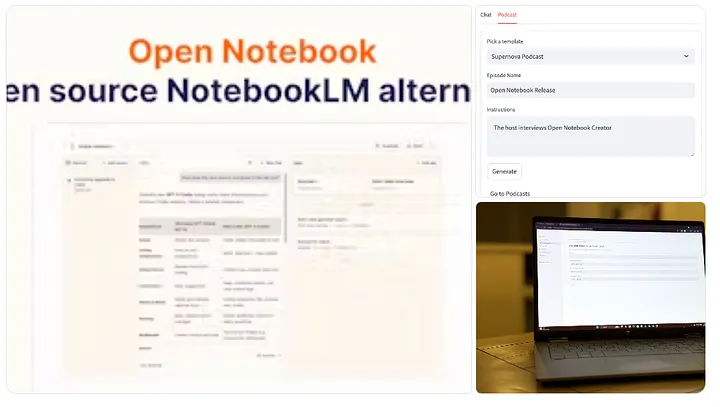
- UI: Typically three-column layout (Sources / Notes / Chat) where you pick sources, annotate, chat, etc.
Deployment
You have options: local machine, cloud VM, Docker container. Example Docker one-liner (from docs):
docker run -d \
  --name open-notebook \
  -p 8502:8502 -p 5055:5055 \
  -v ./notebook_data:/app/data \
  -v ./surreal_data:/mydata \
  -e OPENAI_API_KEY=your_key_here \
  lfnovo/open_notebook:v1-latest-single
Then browse to http://localhost:8502. Medium
Because you host it, you’ll also manage backups, security, updates. But that trade-off comes with flexibility and privacy.
Use-Cases
Here are typical scenarios where Open Notebook shines:
- Academic research: Upload large sets of PDFs, videos of lectures, webpages; then interrogate them with AI, search, chat, generate summaries, podcasts.
- Knowledge/workflow hub: A professional who has meeting recordings, documentation, web research and wants a unified workspace with AI assistance while retaining full data control.
- Content creators / podcasters: Use the podcast-generation feature (multi-speaker) to generate audio episodes or scripts from your research.
- Independent AI experimentation: If you want to try different AI models/providers, build custom workflows, self-host, avoid vendor lock-in.
Strengths & Considerations
Strengths
- Full control of data; you decide where your notebook lives.
- Broad model/provider support gives flexibility and avoids one-vendor dependency.
- Rich workflows (search, chat, podcast) out of the box.
- Open source: you can inspect, modify, extend.
Considerations
- Requires more technical setup than a fully managed cloud service (Docker, ports, hosting).
- You’ll need to manage infrastructure (updates, security, backups) if self-hosting.
- You may need to pay separately for AI provider usage (e.g., OpenAI tokens) unless using free local models.
- Users less comfortable with tech/infrastructure may prefer a managed solution.
Comparison with Notebook LM
Here’s a detailed comparison of Open Notebook vs Notebook LM (Google). This will help you understand where each stands, and which is better suited for your use-case.
| Feature                         | Notebook LM (Google)                                                                                                                                                       | Open Notebook                                                                                                                                                              |
| ------------------------------- | -------------------------------------------------------------------------------------------------------------------------------------------------------------------------- | -------------------------------------------------------------------------------------------------------------------------------------------------------------------------- |
| Ownership & Data Control        | Hosted by Google. Your uploaded sources are on Google’s infrastructure. ([Google Workspace][1])                                                                            | Can be self-hosted locally or in your cloud. Full ownership of data. ([Medium][2])                                                                                         |
| AI Model / Provider Flexibility | Uses Google’s models (Gemini) – you are tied to Google’s LLM. ([Wikipedia][3])                                                                                             | Supports 16+ providers (OpenAI, Anthropic, Ollama, LM Studio…) – you choose models. ([GitHub][4])                                                                          |
| Deployment / Hosting            | Fully managed; accessible via Google’s service (web or app) with minimal setup. ([Google Play][5])                                                                         | Self-host (Docker) option gives maximum flexibility; also potentially cloud hosted with more setup. ([Medium][2])                                                          |
| Pricing & Cost Structure        | Freemium/Subscription model via Google One AI Premium etc. ([The Verge][6])                                                                                                | Open-source (MIT license). You pay for hosting and any external LLM usage (tokens/models) but no locked-in subscription for the platform itself. ([Bright Coding Blog][7]) |
| Supported Content Types         | Upload PDFs, Docs, web URLs, YouTube links (given transcript), supports Audio Overviews, etc. ([Google Workspace][1])                                                      | Supports PDFs, videos, audio, web pages, office docs etc. (very broad) ([GitHub][4])                                                                                       |
| Podcast / Audio Generation      | Offers Audio Overviews (podcast style) and now supports more advanced formats (recent updates) ([Android Central][8])                                                      | Has built-in advanced podcast generation with multi-speaker custom profiles. ([Bright Coding Blog][7])                                                                     |
| Collaboration / Sharing         | Probably better integrated with Google ecosystem (sharing, links) (e.g., NotebookLM allows sharing notebooks publicly). ([The Verge][9])                                   | Since self-hosted, sharing depends on your setup; you control access and permissions.                                                                                      |
| Limitations / Constraints       | Model choice is tied; you rely on Google’s infrastructure & ecosystem; limits exist on free/paid tiers. For example free version of Notebook LM has limits. ([Reddit][10]) | Requires more setup; you are responsible for infrastructure; possibly more maintenance effort.                                                                             |
| Extensibility & Customization   | Less flexible in terms of backend model choice or hosting environment (you’re inside Google ecosystem).                                                                    | Highly extensible: self-host, choose model, modify code/plugins, integrate webhooks/API. ([Bright Coding Blog][7])                                                         |

[1]: https://workspace.google.com/products/notebooklm/?utm_source=chatgpt.com "NotebookLM: AI-Powered Research and Learning ..."
[2]: https://medium.com/%40bytefer/the-self-hosted-alternative-to-google-notebook-lm-is-here-295352aa7437?utm_source=chatgpt.com "The Self-Hosted Alternative to Google Notebook LM Is Here."
[3]: https://en.wikipedia.org/wiki/NotebookLM?utm_source=chatgpt.com "NotebookLM"
[4]: https://github.com/lfnovo/open-notebook?utm_source=chatgpt.com "lfnovo/open-notebook"
[5]: https://play.google.com/store/apps/details?hl=en_US&id=com.google.android.apps.labs.language.tailwind&utm_source=chatgpt.com "Google NotebookLM - Apps on Google Play"
[6]: https://www.theverge.com/news/609464/google-notebooklm-plus-one-ai-premium-subscription?utm_source=chatgpt.com "Google's upgraded NotebookLM is now included in its One AI Premium plan"
[7]: https://www.blog.brightcoding.dev/2025/08/14/meet-open-notebook-the-open-source-privacy-first-alternative-to-googles-notebook-lm/?utm_source=chatgpt.com "Meet Open Notebook: The Open-Source, Privacy-First ..."
[8]: https://www.androidcentral.com/apps-software/notebooklm-now-lets-audio-overview-ai-analyze-your-work-and-stage-a-debate?utm_source=chatgpt.com "NotebookLM now lets Audio Overview AI analyze your work and stage a debate"
[9]: https://www.theverge.com/news/678915/google-notebooklm-share-public-link?utm_source=chatgpt.com "Google's NotebookLM now lets you share your notebook - and AI podcasts - publicly"
[10]: https://www.reddit.com/r/GeminiAI/comments/1kke3wi/whats_the_difference_between_notebooklm_free_and/?utm_source=chatgpt.com "What's the difference between NotebookLM free and pro? ..."
In Plain Terms
- If you’re looking for “plug-and-play” ease, integration with Google Workspace, minimal setup, and you’re okay with Google managing hosting and models — Notebook LM is a solid choice.
- If you prioritise privacy, data ownership, model/provider flexibility, self-hosting, and custom workflows, then Open Notebook is likely a better fit.
Example User Scenarios
- A student or researcher already using Google Docs/Drive and wanting quick AI-powered summaries might pick Notebook LM.
- A freelancer or independent researcher with sensitive data, wanting to try different LLMs, host on their own server, and keep things self-contained — Open Notebook would serve better.
- A company with internal research documents wanting full control over data sovereignty and model costs would gravitate toward Open Notebook.
- A user who just wants “upload a couple of PDFs and let AI summarise” without installing anything might lean toward Notebook LM.
Conclusion
Open Notebook presents a powerful, flexible, and privacy-aware alternative to more closed ecosystem tools like Notebook LM. By giving you full control of your data, choice of models, and self-hosting, it addresses important concerns around vendor lock-in and data ownership. However, this flexibility comes with additional responsibility (infrastructure, setup, maintenance).
On the other hand, Notebook LM offers ease of use, integration with Google’s ecosystem, and managed infrastructure — good for “just get started” scenarios, but at the expense of some control and flexibility.
Which is better depends entirely on your priorities: Do you value control and flexibility more — or convenience and minimal setup?

